Configuring Outlook for Mac
 Print
Print Email
EmailInstructions for using the automatic configuration for Outlook for Mac with your MSU Office 365 account.
- Open Outlook 2016 for Mac.
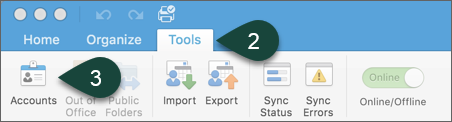
- Select Tools.
- Select Accounts.
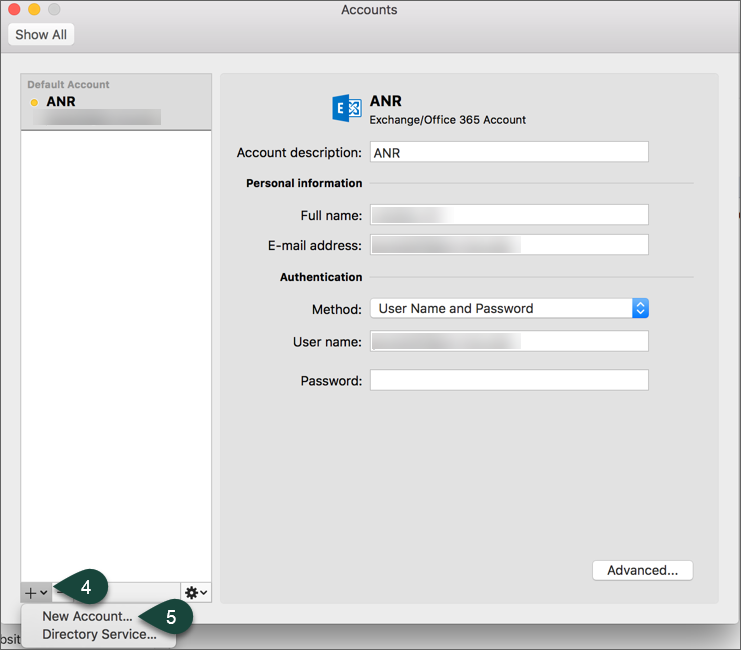
- Select the +.
- Select New Account.
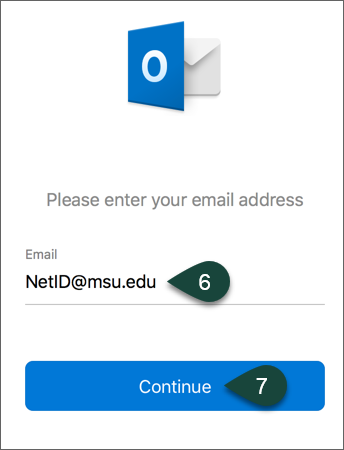
- Enter your @msu.edu Email Address.
- Select Continue.
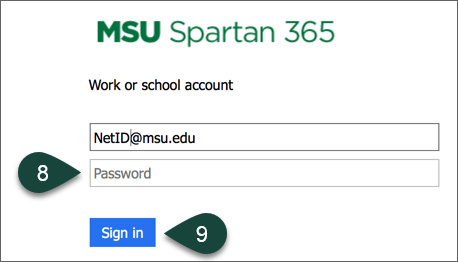
- Enter you MSU Password.
- Select Sign In.
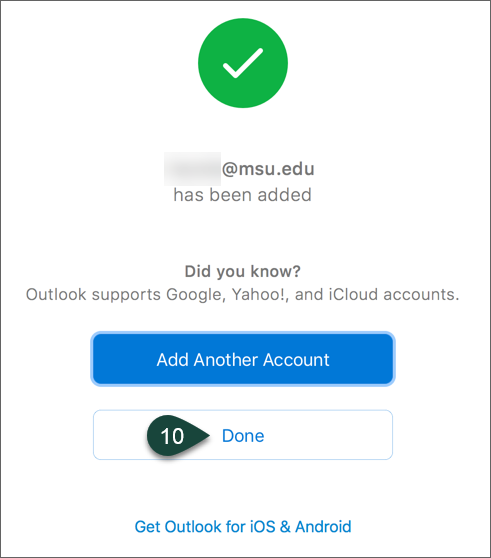
- Select Done.
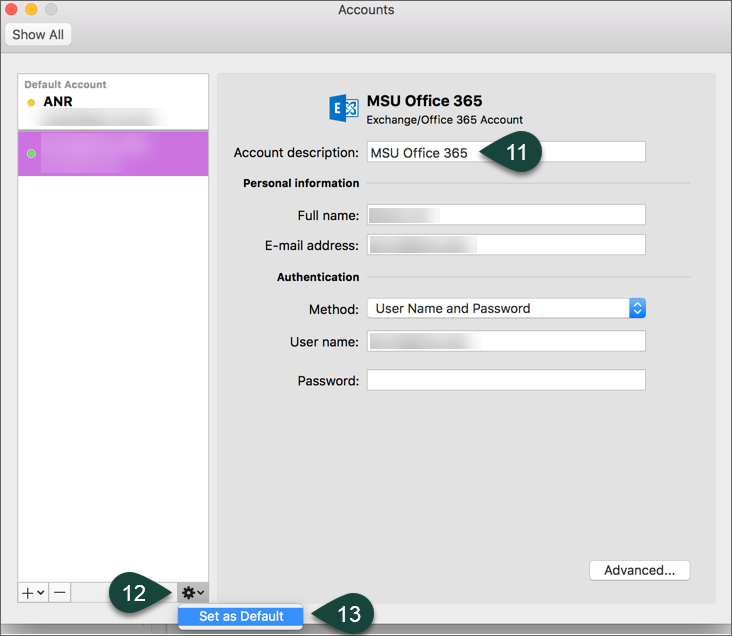
- Change the account description to MSU Office 365.
- Select the Gear Icon.
- Select Set as Default.
Did you find this article useful?
You Might Also Be Interested In
-
In the Field: Jenn Phillips
Published on July 6, 2018
-
Employee Antivirus Perk
Published on September 18, 2023
-
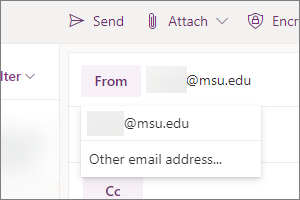
Sending from an Alternate Email Address in Spartan Mail Online (Office 365)
Published on March 31, 2021


-
Mapping a Network Drive (Mac)
Published on June 4, 2020
-
Setting the Default Calendar on Apple Devices (Office 365)
Published on April 22, 2021
-
Sending from an Alternate Email Address in Outlook
Published on March 31, 2021