Waiving Registration Fees in EMS
 Print
Print Email
EmailHow to waive a registration fee in Events Management System.
Use the Waive Fee feature to waive the full registration fee for an individual registration in EMS using the steps below.
1. From the event dashboard, click "Registrant Roster".
2. Under the Actions column, click "Details".
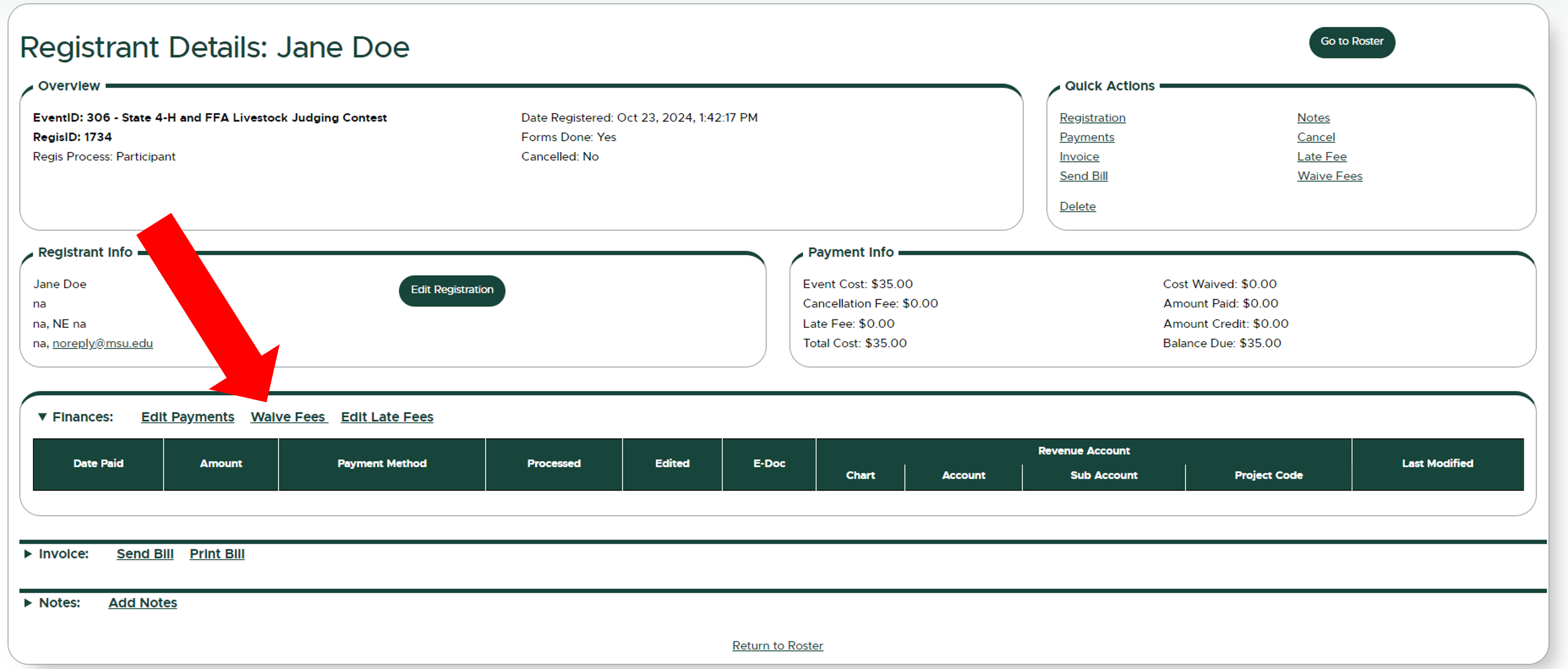
3. Under the finances section, click "Waive Fees".
4. Check the box to waive all fees and provide an explanation for auditing purposes.
5. Click "Update Registration" to save your changes.
Other helpful articles:
Did you find this article useful?
You Might Also Be Interested In
-
Adding Payments in EMS
Published on July 26, 2024
-
Requesting a Refund in EMS
Published on July 30, 2024
-
Applying Late Fees in EMS
Published on October 23, 2024
-
Invoices and Receipts
Published on October 23, 2024
-
Editing Cancellation Fees in EMS
Published on October 17, 2024
-
Crediting a Registrant in EMS
Published on October 17, 2024