


Two methods for reordering pages in dotCMS
 Print
Print Email
EmailTwo methods for reordering pages in dotCMS. (Note: These only work for pages)

Method 1 for reordering pages in dotCMS
- Lock the Page to access the Edit Tab.
- Select the Red Rearrange Navigation button.
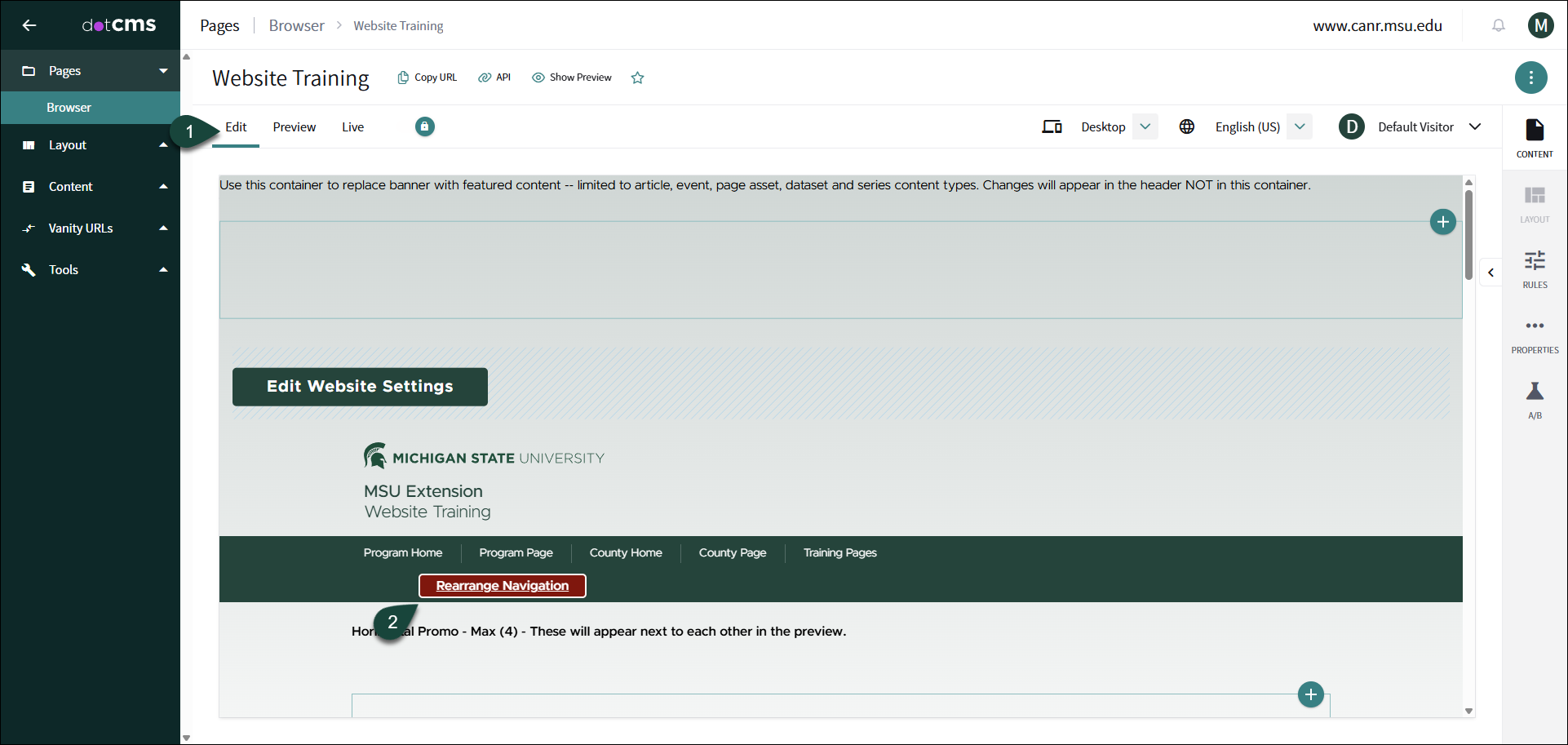
- A new page will pop up where you can reorder the pages.
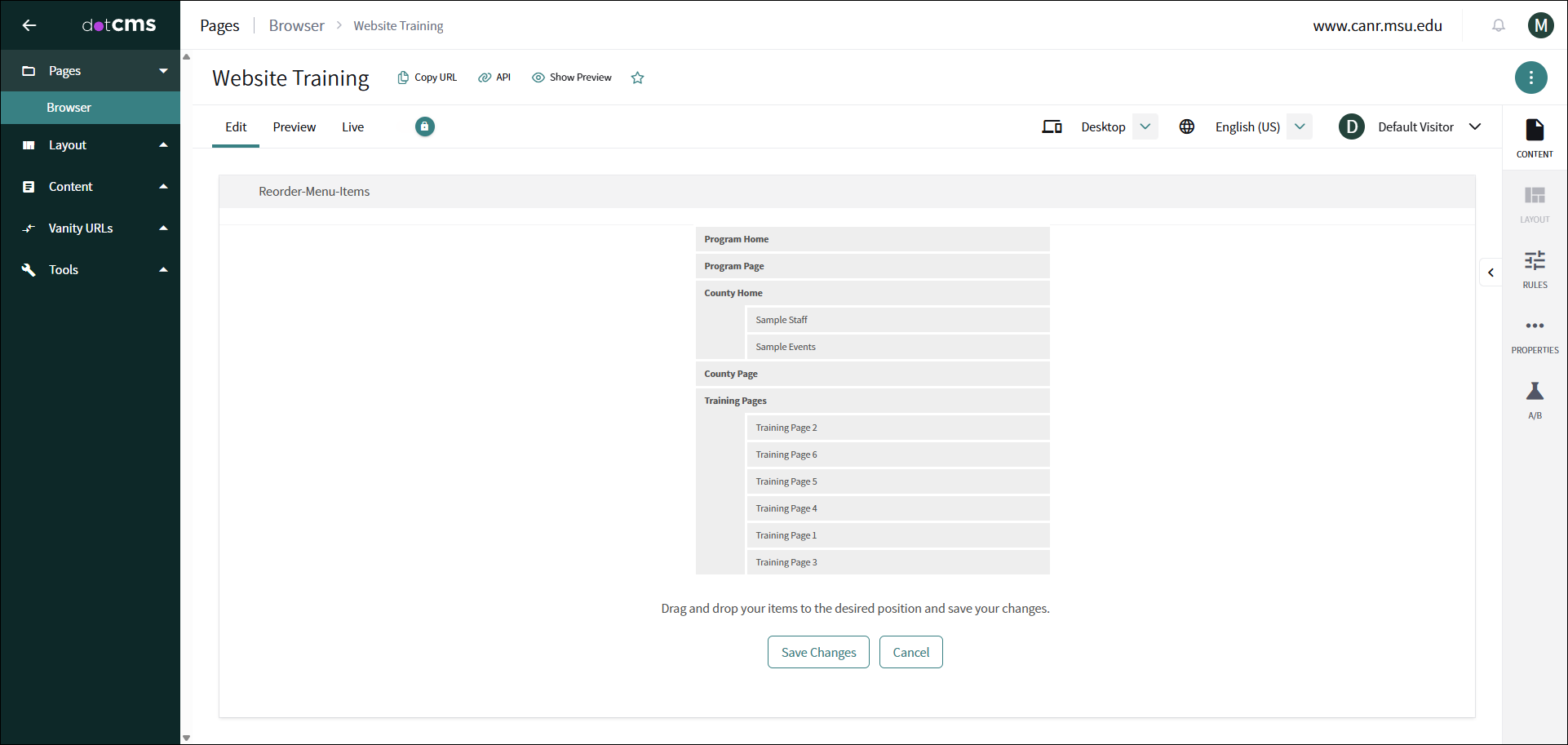
- Then press Save Changes.
Method 2 for reordering pages in dotCMS
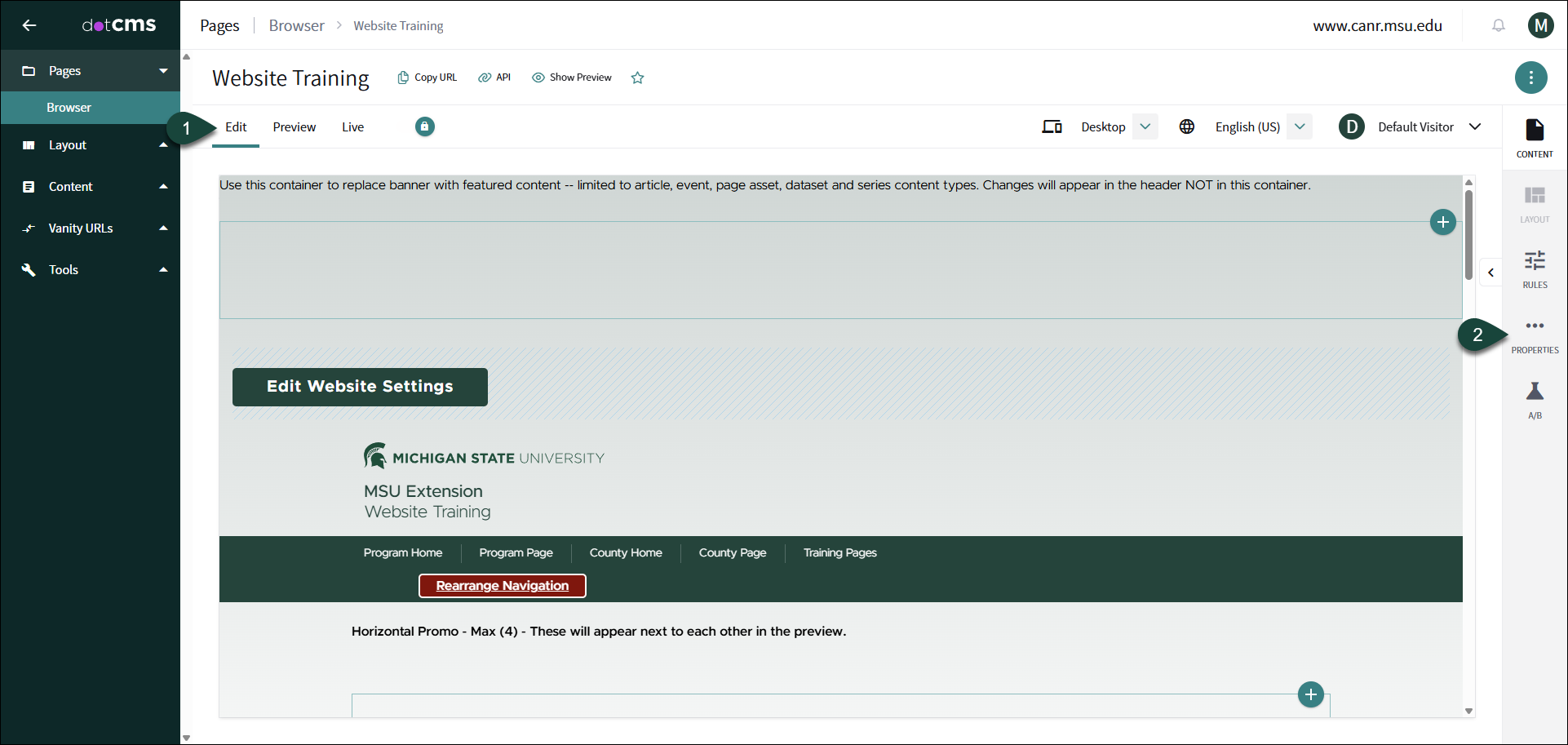
- Lock the Page to access the Edit Tab.
- On the right hand side Select + Properties
- Select the Advanced Properties Tab.
- Input how you want to reorder the pages.
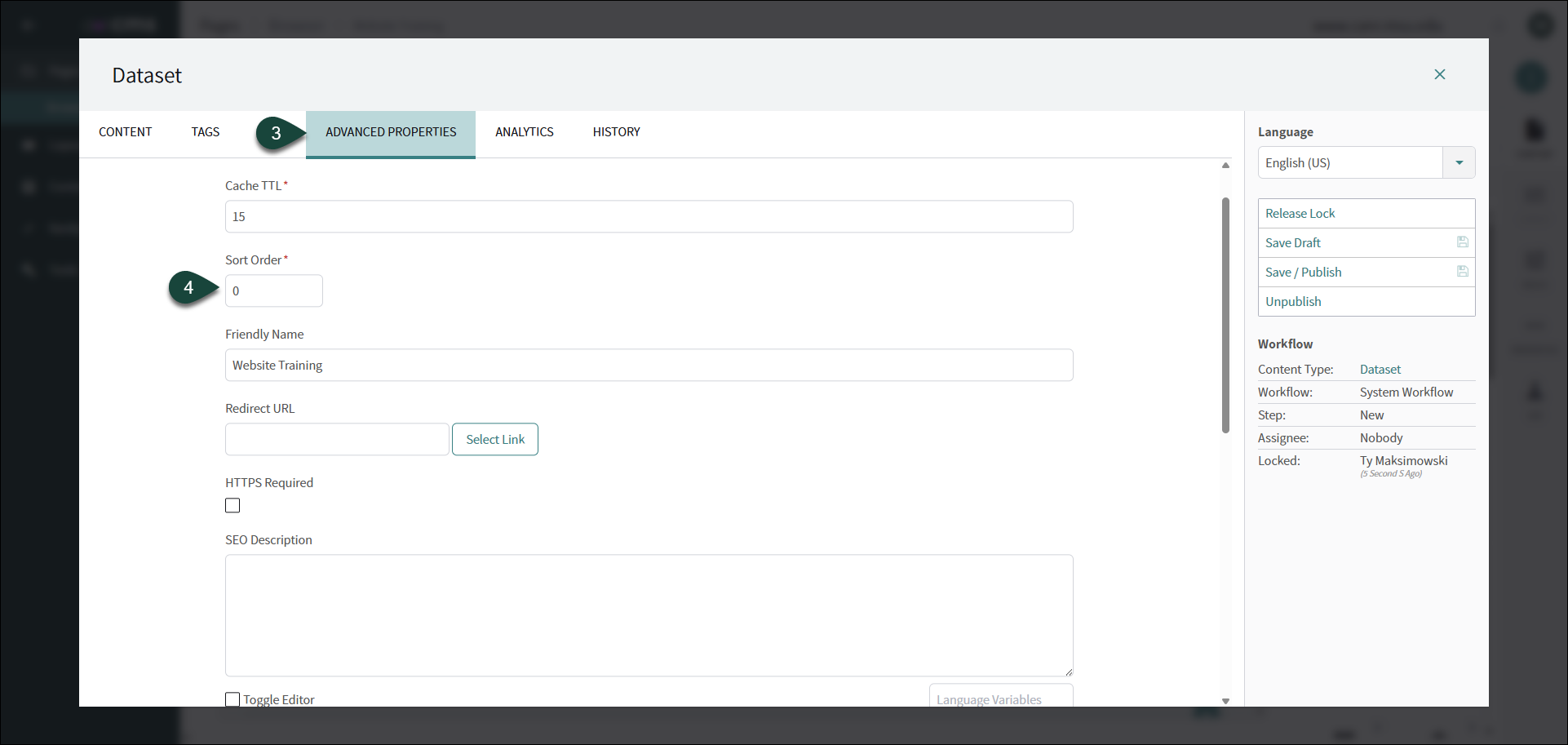
- Then press Save/Publish.
Did you find this article useful?
You Might Also Be Interested In
-
dotCMS: How to Edit Generic Content
Published on January 6, 2020
-
dotCMS: How to Edit Generic Content
Published on January 6, 2020
-
dotCMS: How to Edit Generic Content
Published on January 6, 2020
-
dotCMS: How to Create Metadata
Published on January 6, 2020
-
dotCMS: How to Edit a Page
Published on January 6, 2020
-
dotCMS: How to Create a Page Asset
Published on January 6, 2020