Sharing Your Calendar in Spartan Mail Online (Office 365)
 Print
Print Email
EmailInstructions for sending a link to another user to share your calendar with them in Spartan Mail (Office 365).
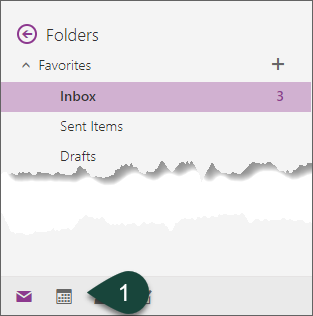
- Select the Calendar Icon at the bottom of the screen.
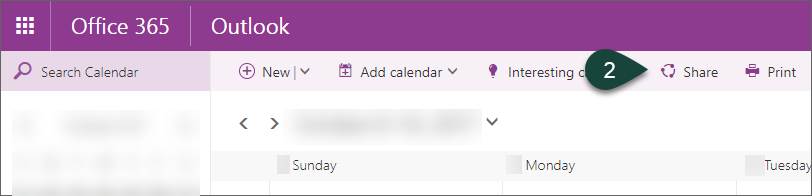
- Select Share.
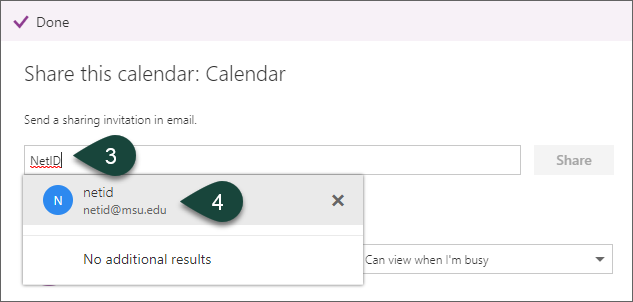
- Enter the NetID of the person with whom you are sharing your calendar.
- Select the User from the pop up list.
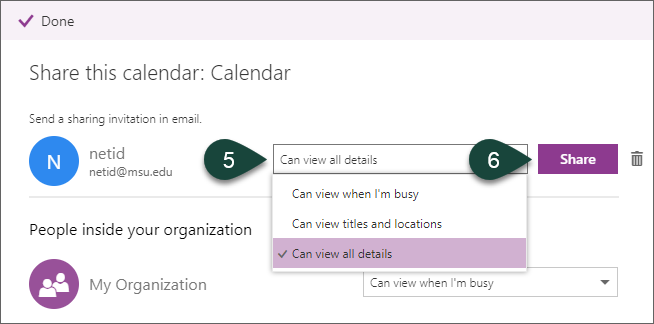
- Select the Viewing Level you wish the user to have.
- Select Share.
- The user will receive an email with a link they can click on to add your calendar to their list.
Did you find this article useful?
You Might Also Be Interested In
-
Michigan to host national conference on disability in agriculture
Published on January 15, 2026
-
Protecting Michigan’s environment and wildlife through the Conservation Reserve Enhancement Program
Published on September 1, 2021
-
Celebrating 100 years of Michigan State University Extension in Alcona County
Published on October 19, 2017
-
Michigan State University College of Agriculture and Natural Resources event to focus on soil health
Published on January 12, 2016
-
Morrill Act turns 150 years old
Published on June 12, 2012