Configuring Mac Mail and/or Calendar
 Print
Print Email
EmailInstructions for using the automatic configuration for Mac Mail/Calendar with your MSU Office 365 account.
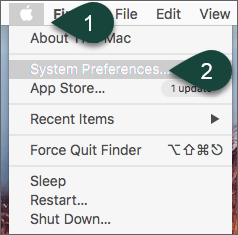
- Select the Apple Icon.
- Select System Preferences.
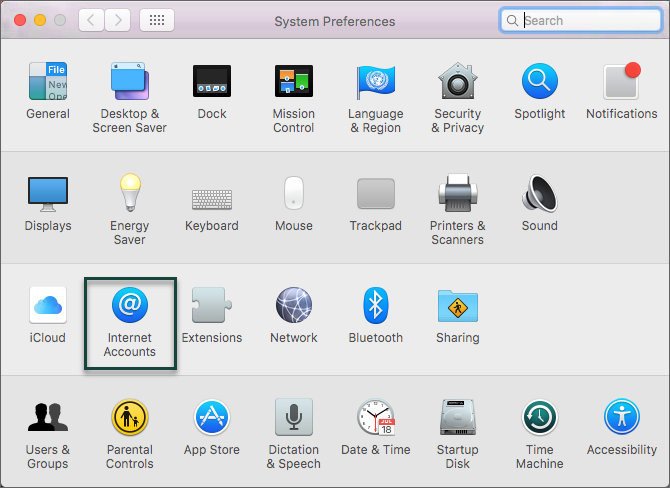
- Select Internet Accounts.
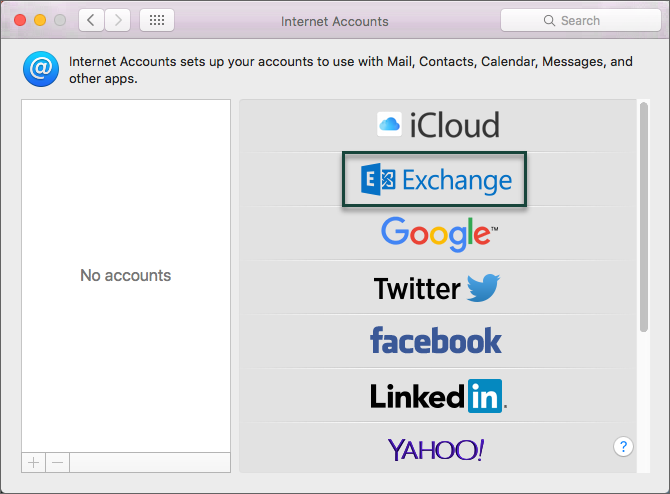
- Select Exchange.
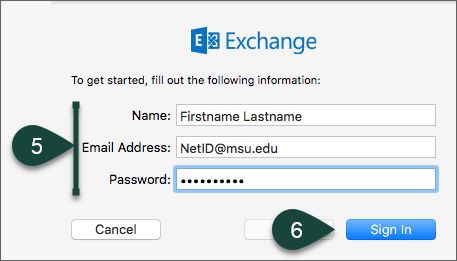
- Enter Your Name, MSU Email Address, and Password.
- Select Sign In.
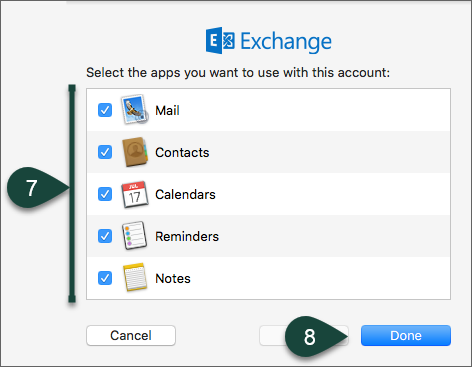
- Select the Mac Apps you wish to use with your MSU account.
- Select Done.
Did you find this article useful?
You Might Also Be Interested In
-
MSU Animal Science students receive scholarships Michigan Livestock Industry Scholarship Foundation
Published on September 14, 2023
-
MSU students receive scholarship awards for 2021-22
Published on March 17, 2022
-
Marcus Duck named the 2020 MSU Outstanding Academic Advisor
Published on November 3, 2020