Creating a Calendar Invitation in Spartan Mail Online (Office 365)
 Print
Print Email
EmailInstructions for creating a calendar invitation to other MSU users, groups, rooms, etc. within Spartan Mail (Office 365).
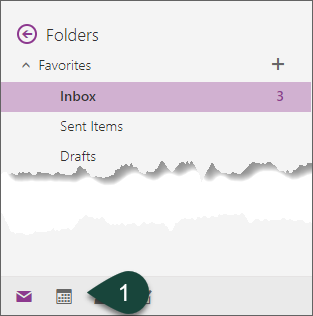
- Select the Calendar Icon at the bottom of the screen.
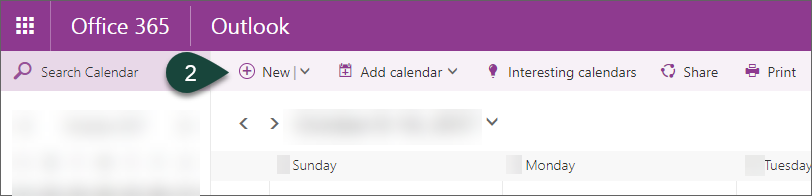
- Select New.
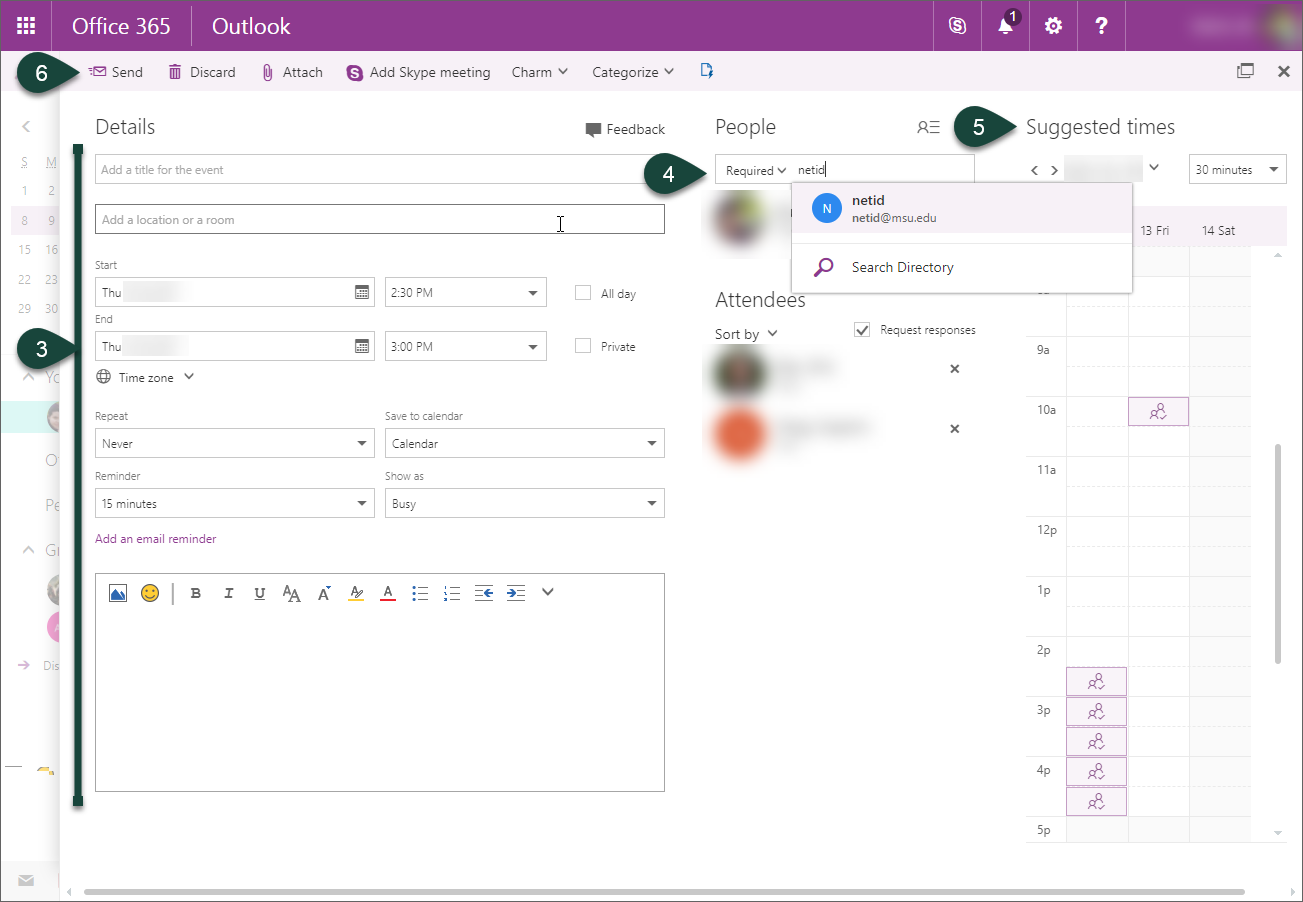
- Enter the Title, Date, Time, Location, etc.
- Enter the Required Attendees. The system will search for MSU users, groups, and rooms.
- Optional: The Suggested Times area shows free dates/times for all MSU users required to attend allowing you to select one in which all users are able to attend. This is only viewable on screens 1300 px or wider.
- Select Send.
Did you find this article useful?
You Might Also Be Interested In
-
Celebrating 100 years of Michigan State University Extension in Alcona County
Published on October 19, 2017
-
Protecting Michigan’s environment and wildlife through the Conservation Reserve Enhancement Program
Published on September 1, 2021
-
Michigan to host national conference on disability in agriculture
Published on January 15, 2026
-
Michigan State University College of Agriculture and Natural Resources event to focus on soil health
Published on January 12, 2016
-
Morrill Act turns 150 years old
Published on June 12, 2012
-
Michigan Sea Grant approaches Great Lakes issues with a statewide outlook and a strong local focus
Published on August 23, 2021